
LuLu Firewall for macOS
Stop apps from 'phoning home' without your permission. Discover how LuLu works to keep your network activity transparent and your Mac more secure.
Check Out LuLu
When it comes to keeping your Mac secure, there’s usually plenty of focus on malware, privacy tools, and built-in protections like Gatekeeper. But one layer of defense that often gets overlooked is outbound traffic — the data your apps quietly send out. That’s where LuLu, a free, open-source firewall for macOS from Objective-See, enters the picture. Check out Undatti's blog post on Firewalls And Why Your Computer Needs One for more information.

A Simple & Effective macOS Firewall
Look What LuLu Does
Unlike Apple’s built-in firewall, which monitors incoming connections, Lulu is designed to catch outgoing network activity. The idea is simple: if an app on your Mac suddenly tries to call home, Lulu asks for your permission before allowing it. This can help you catch suspicious processes or apps that behave more talkatively than they should. Listen to Undatti's Tech Podcast for more information.
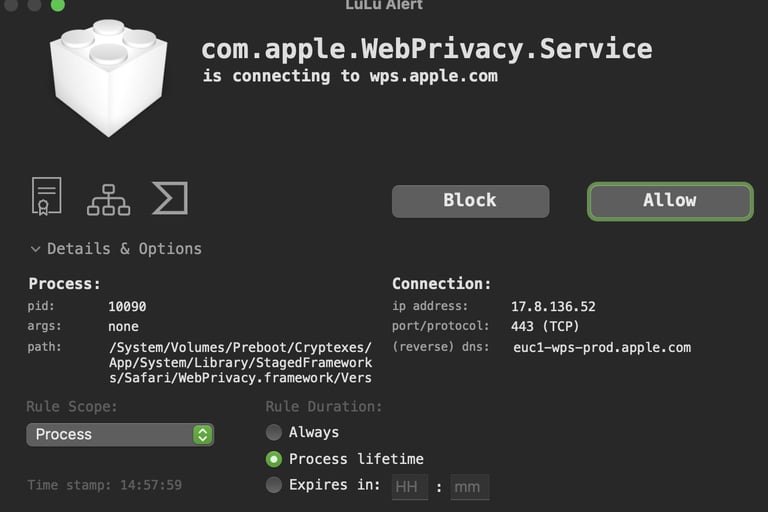
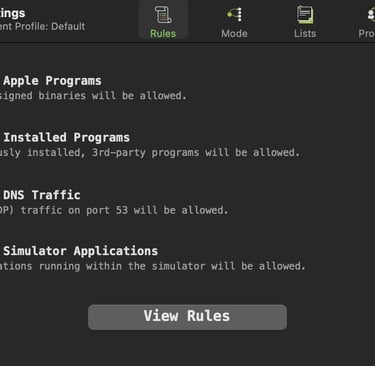
The interface is refreshingly straightforward. When a new connection attempt happens, Lulu pops up a clean dialogue asking whether to allow or block it. You can make one-time decisions or set permanent rules with a single click. That simplicity makes it appealing even for users who don’t consider themselves “techy,” but it’s also transparent enough for experienced security enthusiasts who like to know what’s really happening under the hood.
Performance and Usability
During everyday use, Lulu runs quietly in the background without noticeably affecting system performance. The initial setup is smooth — you grant the usual system permissions, restart, and it’s ready. Once configured, you’ll mostly forget it’s there until a new app requests network access, at which point Lulu politely brings itself to your attention.
One thoughtful feature is how clearly Lulu identifies connection attempts. It shows which process is making the request and what IP address it’s trying to reach. Unlike some commercial firewalls that bury you in jargon, Lulu communicates clearly and keeps the decision-making simple.
Strengths and Limitations
Being open source is one of Lulu’s strongest assets. You can inspect the source code anytime, which builds trust and transparency — both rare qualities in security software. There are no ads, data collection, or upsells; it’s genuinely free and privacy-respecting.
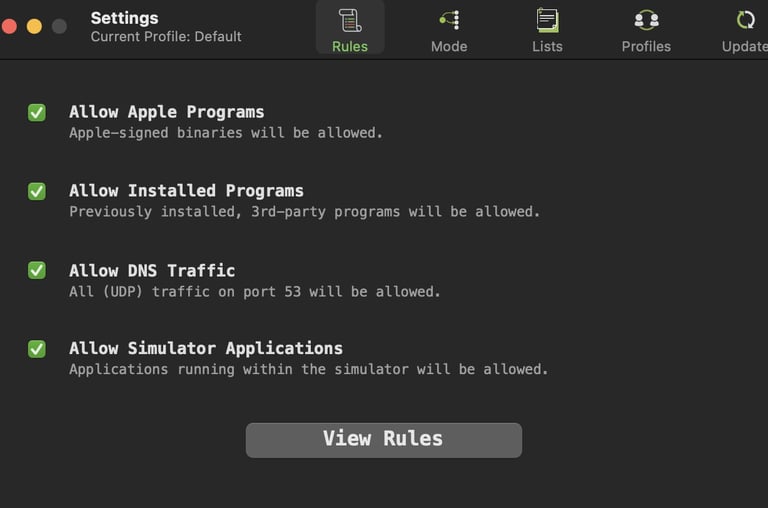
However, it lacks some of the polish and advanced automation you’d find in paid solutions. Power users might wish for finer-grained rule management. Still, for most individuals who want visibility into what their Mac is talking to, Lulu more than does the job. Watch Lulu For macOS Explained to learn more.
Verdict
Lulu strikes a smart balance between simplicity, transparency, and effectiveness. It may not have the bells and whistles of commercial firewalls, but it protects users where macOS’s default tools fall short — outbound network control. For anyone who cares about privacy or simply wants to know what their system is doing behind the scenes, Lulu is a worthy addition to your Mac’s defense stack.
In short, Lulu doesn’t reinvent the firewall — it just makes one that feels honest, efficient, and easy to live with. If you're interested checking out more cool tools for macOS, take a look at Objective-See. You might just find something you like.